If you have a lot of pages indexed in search engines and decide to change a path in your web site, you probably want to redirect from the old URL to the new URL.
If you have a lot of pages indexed in search engines and decide to change a path in your web site, you probably want to redirect from the old URL to the new URL.

With these commands you can quickly create a Bootstrap sub-theme with a Bootswatch.
You should be able to copy and paste them into your terminal, and create a fresh Bootswatch-based theme:

Just create the file ~/.vimrc with the content set "mouse=":
Insert in ~/.vimrc:
vi ~/.vimrc
set mouse=
Make it take effect
source ~/.vimrc
You can now select text with the mouse in Debian 9.

Sometimes it's nice to get an alert when your terminal has finished a task.
You need to have sox installed to play a sound with the "play" command:
sudo apt-get install sox
Add this to your ~/.bashrc file (remember to also source it) to play a sound and show the text "Ready" at the top of your screen:

I you are tired of new bookmarks in Firefox 58 going in the "Other Bookmarks" folder, you can change it with the Default Bookmark Folder add-on.

If your Ubuntu installation locks up as the graphical boot screen attempts to initialize, and you can't get access to your system after starting it up, booting into a previous version can be a help.
This can happen after updating to the the latest update to Linux 4.4.0-108 kernel, which included a fix for the Meltdown vulnerability.

If you want solid and efficient mail hosting, consider fastmail.com.
Here is a referral link, which gives you 10% percent discount the first year: https://www.fastmail.com/?STKI=16683993
Full disclosure: I get some referral credits from fastmail.com every time someone signs up via the link above.
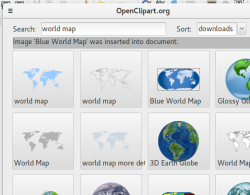
If you try to install the Openclipart extension for Libreoffice in Ubuntu 16.04, you might get this error:
Failed to register package for vnd.sun.star.expand:$UNO_USER_PACKAGES_CACHE/uno_packages/lu8331jgzjaf.tmp_/openclipart.oxt/python
To fix it, install libreoffice-script-provider-python like this:
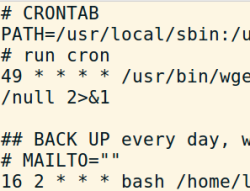
Here is an example of how you can set up a back up system for a Drupal web site with Drush. Daily backups are kept for a week, after which they are deleted, and the weekly, full backups are deleted after 30 days. This script comes with no warranties of any kind, as always, test thoroughly before using it.


To zoom pages by default in Firefox, open the about:config page via the location/address bar, and change the value of layout.css.devPixelsPerPx to fx 1.2, to zoom in 120% on all pages by default. This will also increase the size of icons and tabs, but this way you don't need an add-on for larger text on all web pages by default.